
A modern business website shouldn’t just look good.
It should help your team capture leads, organise customer data, understand where enquiries come from, and support your marketing efforts.
That’s where HubSpot website development can make a real difference.
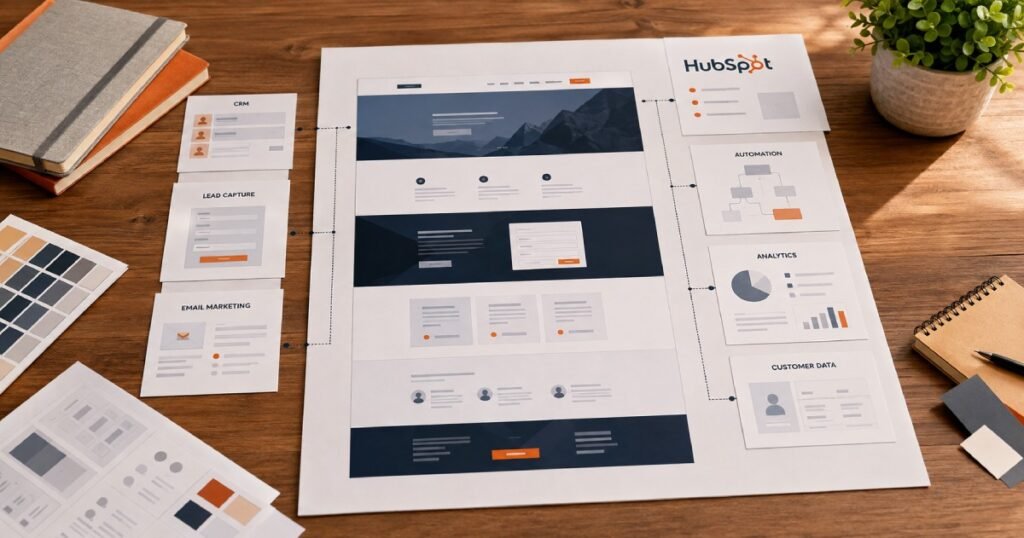
Instead of having your website, forms, CRM, email marketing, and automation operating as completely separate systems, HubSpot brings many of these functions together in one platform.
But getting the most from HubSpot isn’t simply about choosing a theme and adding a few pages.
A well-built HubSpot website needs the right structure, reusable components, responsive design, CRM integration, forms, automation, analytics, and SEO foundations.
In this guide, we’ll look at what HubSpot website development involves, what you can build with HubSpot CMS, and when it makes sense for your business.
What Is HubSpot Website Development?
HubSpot website development is the process of designing and building a website using HubSpot’s CMS and connected marketing tools.
Depending on the project, this can involve:
- Website strategy
- UX and UI design
- Custom HubSpot themes
- Custom modules
- CMS development
- Responsive development
- HubSpot forms
- CRM integration
- Email automation
- Marketing automation
- SEO implementation
- Analytics
- Website migration
- Third-party integrations
The important distinction is that a HubSpot website can be built as part of a broader customer acquisition system.
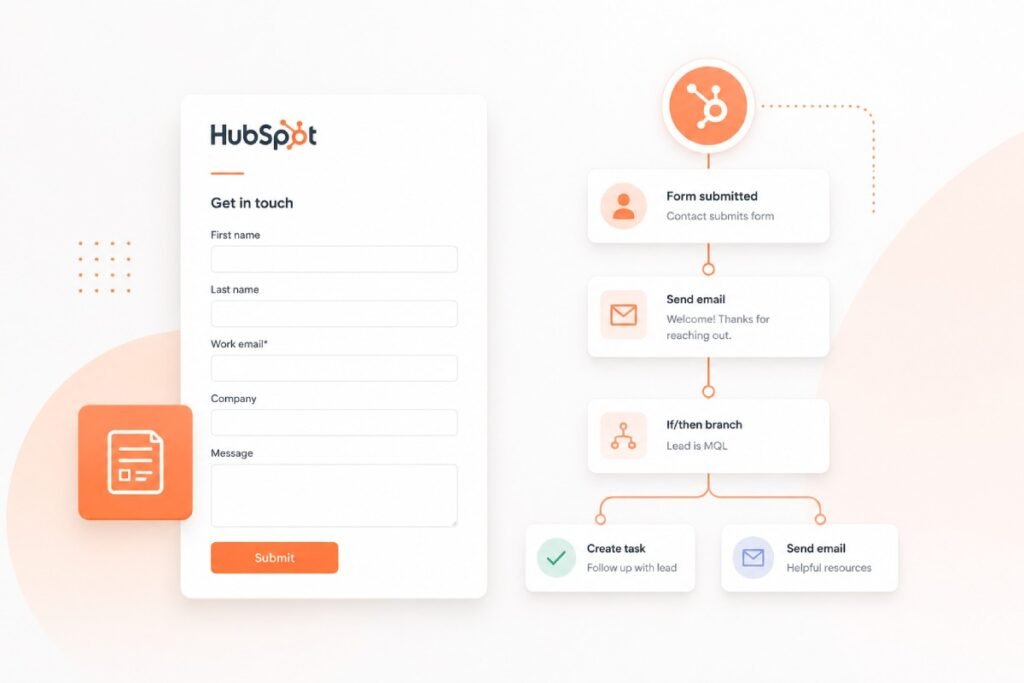
A visitor can arrive on your website, submit a form, become a CRM contact, enter a workflow, receive an automated email, and be followed up by your sales team.
That connection is one of the biggest reasons businesses consider HubSpot.
Build a HubSpot Website That Does More
Your website shouldn’t sit separately from your marketing and sales operations.
Why Businesses Choose HubSpot for Their Website
There are plenty of CMS platforms available.
So why would a business choose HubSpot?
For many organisations, the answer comes down to integration.
Your website isn’t just a place to publish information.
It can become part of your entire marketing and sales process.
Website + CRM
Website interactions can feed directly into your HubSpot CRM.
Website + Forms
Forms can capture leads and send information into the CRM.
Website + Automation
Actions taken by visitors can trigger workflows and follow-up processes.
Website + Email Marketing
Captured leads can be connected to email campaigns and nurturing sequences.
Website + Analytics
Marketing teams can analyse interactions and understand how campaigns are performing.
This creates a much more connected system than simply having a standalone website.
HubSpot Website Design vs HubSpot Website Development
These terms are often used interchangeably, but they aren’t exactly the same.
HubSpot Website Design
Design focuses on how the website looks and how users interact with it.
This includes:
- User experience
- Page layouts
- Typography
- Visual hierarchy
- Navigation
- Calls to action
- Brand presentation
- Responsive design
HubSpot Website Development
Development turns those designs into a working website.
This can include:
- HubSpot CMS templates
- Custom modules
- Reusable components
- Dynamic content
- Forms
- CRM functionality
- Integrations
- Responsive implementation
- Technical SEO
- Performance optimisation
A strong project needs both.
A beautiful design won’t help much if the website is difficult to manage or doesn’t connect properly with your marketing system.
What Can You Build With HubSpot CMS?
HubSpot CMS can support many different types of websites and digital experiences.
Business Websites
Build professional websites for B2B companies, SaaS businesses, professional services, technology companies, and other organisations.
Landing Pages
Create campaign-specific landing pages designed around particular offers, audiences, or marketing campaigns.
Service Pages
Build structured service pages that explain your offering while guiding visitors toward conversion.
Resource Hubs
Create organised resource libraries for:
- Guides
- Reports
- eBooks
- Case studies
- Webinars
- Articles
Blogs
HubSpot can also support content publishing and blogging as part of a broader inbound marketing strategy.
Campaign Pages
Marketing teams can create targeted pages without requiring developers for every small campaign.
This flexibility can become particularly valuable for companies running frequent marketing campaigns.
Key Benefits of HubSpot Website Development
1. CRM Integration
One of HubSpot’s biggest advantages is the connection between your website and CRM.
Instead of receiving an enquiry as an isolated email, information can be stored against a contact record and used by your sales and marketing teams.
That creates better visibility into the customer journey.
2. Lead Capture
Forms can be placed throughout the website to capture information from potential customers.
For example:
- Contact forms
- Demo requests
- Consultation forms
- Newsletter signups
- Resource downloads
- Quote requests
These interactions can feed into your CRM and support follow-up processes.
3. Marketing Automation
Automation can reduce repetitive manual work.
For example, a visitor might:
Download a resource → become a contact → receive a follow-up email → enter a nurturing workflow → become a sales opportunity
The exact workflow depends on your business and marketing strategy.
4. Personalisation
HubSpot can support personalised experiences based on available customer and visitor information.
This can help businesses create more relevant experiences for different audiences.
5. Analytics
A website shouldn’t just generate traffic.
You should be able to understand what visitors are doing.
Analytics can help you evaluate:
- Traffic sources
- Landing pages
- Conversions
- Form submissions
- Campaign performance
- Customer journeys
This information can help your team make better decisions about future marketing activity.
What Does Professional HubSpot CMS Development Include?
A professional HubSpot website build should go beyond simply placing content into a template.
Depending on the project, development may include:
Custom Templates
Create templates around the company’s specific requirements rather than forcing the design into a generic structure.
Reusable Modules
Build flexible modules that content teams can reuse across different pages.
Responsive Development
Ensure pages work properly across desktop, tablet, and mobile devices.
CMS Structure
Organise content so marketing teams can update the website without constantly needing developer support.
Forms
Build and configure forms for different conversion points.
Integrations
Connect HubSpot with relevant external platforms where required.
Automation
Set up workflows and processes that support lead management and marketing operations.
SEO
Implement the technical foundations required for search visibility.
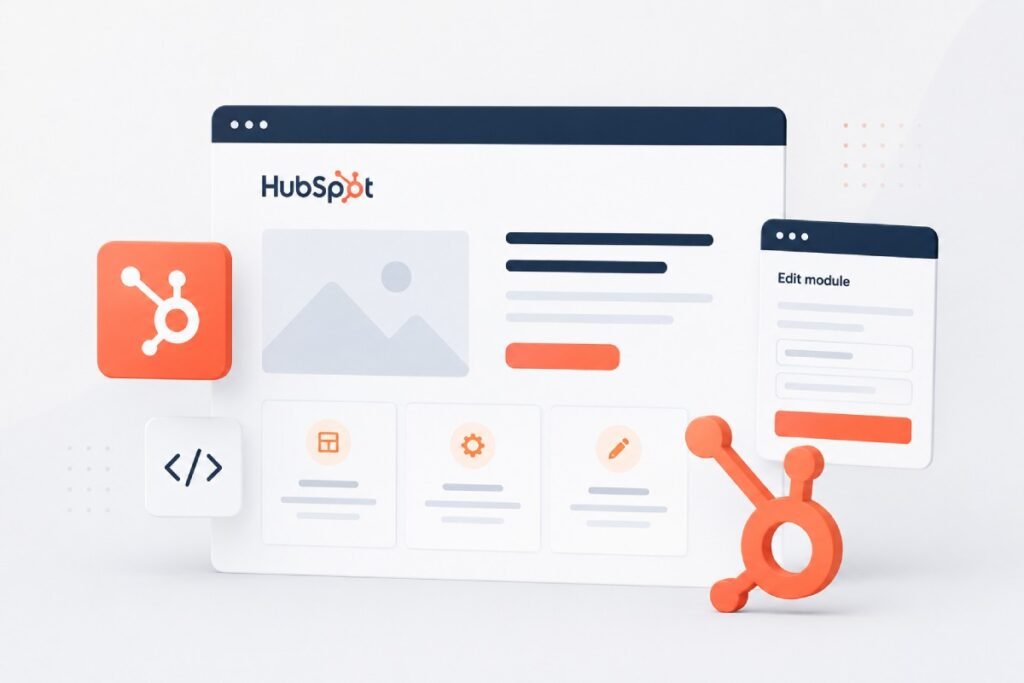
Custom HubSpot Themes and Modules
One of the biggest advantages of custom HubSpot development is flexibility.
Instead of giving marketers a rigid page builder where every page looks almost identical, developers can create a library of reusable components.
For example:
- Hero sections
- Service cards
- Feature sections
- Testimonials
- Pricing sections
- FAQ modules
- Logo sections
- Case study components
- CTA sections
- Resource cards
Marketing teams can then build new pages using these components while maintaining consistency across the website.
This can make ongoing website management much easier.
HubSpot Forms, CRM and Lead Automation
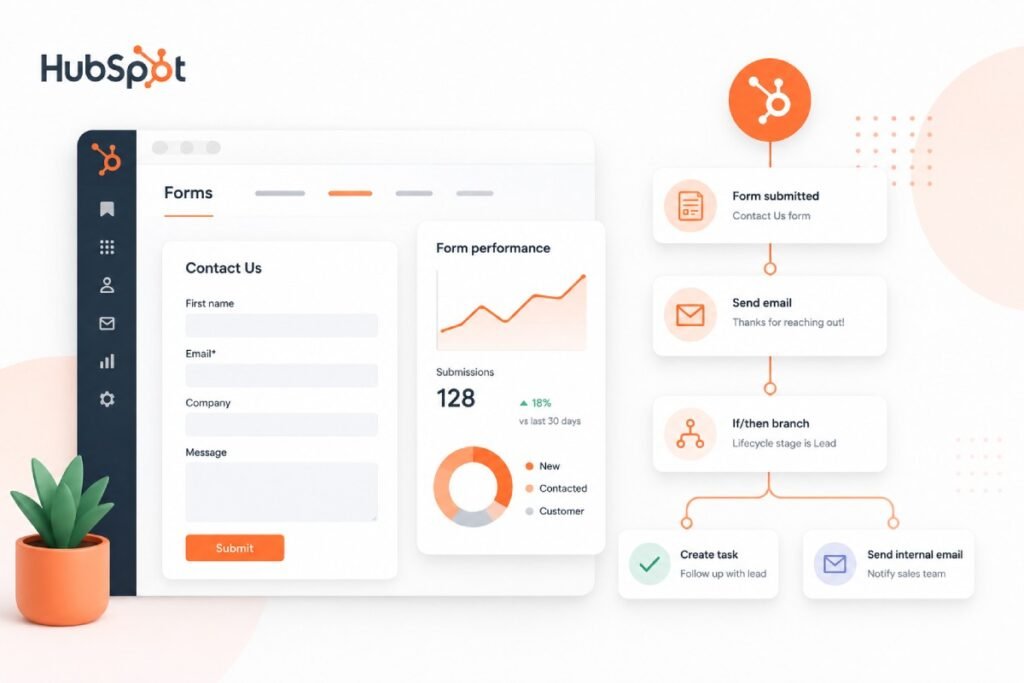
Forms are one of the most important connections between a website and the CRM.
A properly configured form can capture information such as:
- Name
- Company
- Phone
- Service interest
- Project requirements
That information can then be used to support sales and marketing workflows.
For example:
Visitor submits consultation form → CRM contact created → workflow triggered → confirmation email sent → sales team receives notification
This is much more powerful than simply sending a form submission to an inbox.
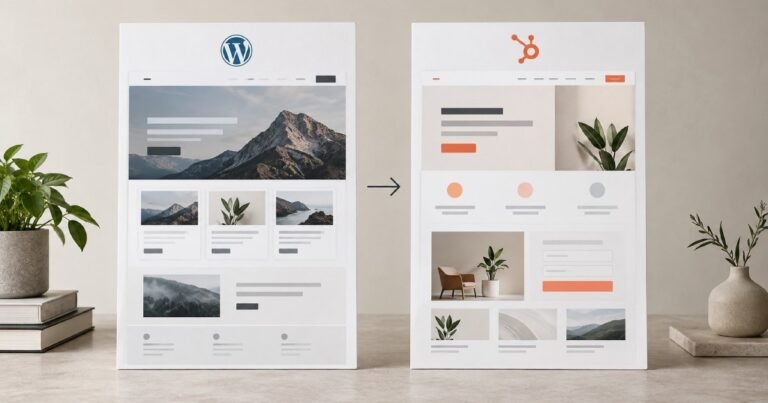
HubSpot Website Migration
HubSpot development doesn’t always mean starting from scratch.
Businesses may want to move an existing website from another platform.
For example, a company might migrate from:
- WordPress
- Webflow
- Framer
- Another CMS
- Custom-built technology
A migration needs careful planning.
Important considerations include:
- Existing URLs
- Page structure
- Content
- Metadata
- Images
- Forms
- Redirects
- Analytics
- SEO
- Integrations
- Responsive behaviour
The goal shouldn’t simply be to move the content.
The goal should be to create a better website while protecting the value of the existing one.
HubSpot Website Development for SEO
A HubSpot website should also be built with search engines in mind.
Important areas include:
URL Structure
Keep URLs logical, descriptive, and consistent.
Metadata
Create appropriate page titles and meta descriptions.
Heading Structure
Use headings to establish a clear content hierarchy.
Internal Linking
Connect related pages so users and search engines can discover important content.
Schema
Use structured data where appropriate.
Mobile Performance
Make sure the website works well across mobile devices.
Page Speed
Optimise images, scripts, layouts, and other assets where possible.
Redirects
When migrating or restructuring a website, implement appropriate redirects to preserve existing URLs and SEO value.
SEO shouldn’t be something added after development is finished.
It should be considered while the website structure is being planned.
HubSpot vs WordPress vs Webflow
There isn’t one platform that’s best for every business.
The right choice depends on what you need from your website.
| Platform | Often Suitable For |
|---|---|
| HubSpot | CRM-driven websites, inbound marketing, lead generation and automation |
| WordPress | Flexible websites, content-heavy sites and custom development |
| Webflow | Design-focused marketing websites and visual control |
If your website is primarily a marketing and lead-generation engine, HubSpot can be particularly attractive because the CMS and CRM work together.
If you mainly need a flexible content management system, WordPress may be a better fit.
If design flexibility and visual development are your biggest priorities, Webflow may be worth considering.
The platform should follow the business requirements — not the other way around.
How Much Does HubSpot Website Development Cost?
There isn’t one fixed price.
The cost depends on the scope of the project.
Factors can include:
- Number of pages
- Custom design
- Number of templates
- Custom modules
- CRM requirements
- Forms
- Automation
- Integrations
- Content migration
- SEO requirements
- Custom functionality
A relatively simple HubSpot website can be significantly less complex than a large enterprise website with multiple templates, integrations, automation workflows, and custom functionality.
When comparing quotes, look beyond the total price.
Check exactly what is included.
Common HubSpot Development Mistakes
Using Too Many Generic Templates
Templates can be useful, but relying too heavily on generic layouts can make your website look similar to countless others.
Building Without a Component Strategy
Without reusable modules, maintaining and expanding the website can become unnecessarily difficult.
Ignoring CRM Requirements
The website should be planned around how your marketing and sales teams actually use HubSpot.
Treating Forms as an Afterthought
Forms are an important part of lead generation and should be planned alongside the website’s conversion strategy.
Ignoring SEO During Migration
Changing URLs and page structures without proper redirects can create unnecessary SEO problems.
Making the Website Difficult to Edit
Marketing teams should be able to make routine content changes without requiring a developer for every small update.
Our HubSpot Website Development Process
A structured development process helps keep the project organised.
1. Discovery
Understand the business, audience, goals, existing website, and CRM requirements.
2. Website Strategy
Plan the sitemap, content structure, user journeys, conversion points, and technical requirements.
3. UX & UI Design
Create the visual direction and page layouts.
4. HubSpot Development
Build templates, modules, pages, and responsive components inside HubSpot.
5. CRM & Automation
Configure forms, CRM connections, workflows, email automation, and required integrations.
6. SEO Implementation
Set up technical SEO elements and ensure the website structure supports search visibility.
7. Testing
Test:
- Desktop
- Tablet
- Mobile
- Forms
- Links
- Navigation
- Integrations
- Automation
- Performance
8. Launch
Complete final checks and launch the website.
9. Continuous Improvement
After launch, use analytics and user behaviour to identify opportunities for improvement.
Is HubSpot Right for Your Business?
HubSpot can be a strong choice if your website is closely connected to your marketing and sales process.
It may be worth considering if you need:
- CRM integration
- Lead generation
- Marketing automation
- Email marketing
- Landing pages
- Personalisation
- Campaign management
- Analytics
- A manageable CMS
However, choosing HubSpot simply because it’s popular isn’t enough.
Your platform should be selected based on your actual business requirements, team, budget, content strategy, and long-term plans.
Final Thoughts
A website should do more than look professional.
It should help your business attract visitors, capture leads, understand customers, and support the sales process.
That’s where HubSpot can be particularly powerful.
With the right development approach, your website can become closely connected to your CRM, forms, email marketing, automation, analytics, and broader marketing strategy.
At Zelthra, we build and develop websites across platforms including HubSpot, WordPress, and Webflow, with a focus on creating websites that are not only visually strong but also practical for marketing teams to manage and grow.
Whether you’re building a new HubSpot website, redesigning an existing one, or migrating from another platform, the right technical foundation can make a significant difference.
Frequently Asked Questions
HubSpot website development involves designing and building websites using HubSpot CMS, including custom themes, modules, templates, forms, CRM connections, integrations, automation, and SEO implementation.
Yes. HubSpot can be particularly useful for businesses that want their website closely connected to CRM, lead generation, email marketing, automation, and analytics.
Yes. Custom HubSpot development can include custom themes, templates, modules, responsive components, and functionality designed around a business’s specific requirements.
Yes. A migration can include content, page structures, URLs, forms, metadata, redirects, and other relevant website elements. The exact process depends on the existing WordPress setup.
Yes. A Framer website can be rebuilt and migrated into HubSpot. The project may also include forms, CRM integration, email, automation, SEO, and other HubSpot functionality.
Yes. HubSpot provides tools and functionality that can support SEO, while developers can also implement technical SEO elements as part of the website build.
The cost depends on the number of pages, design requirements, custom modules, integrations, CRM functionality, automation, migration requirements, and overall project scope.
Yes. A properly structured HubSpot website can provide marketing teams with reusable modules and editable content areas so they can make many routine updates without developer assistance.
Need Help With Your Website?
Whether you need HubSpot CMS development, Webflow development, WordPress development, or technical SEO, Zelthra can help you build a website that performs.