

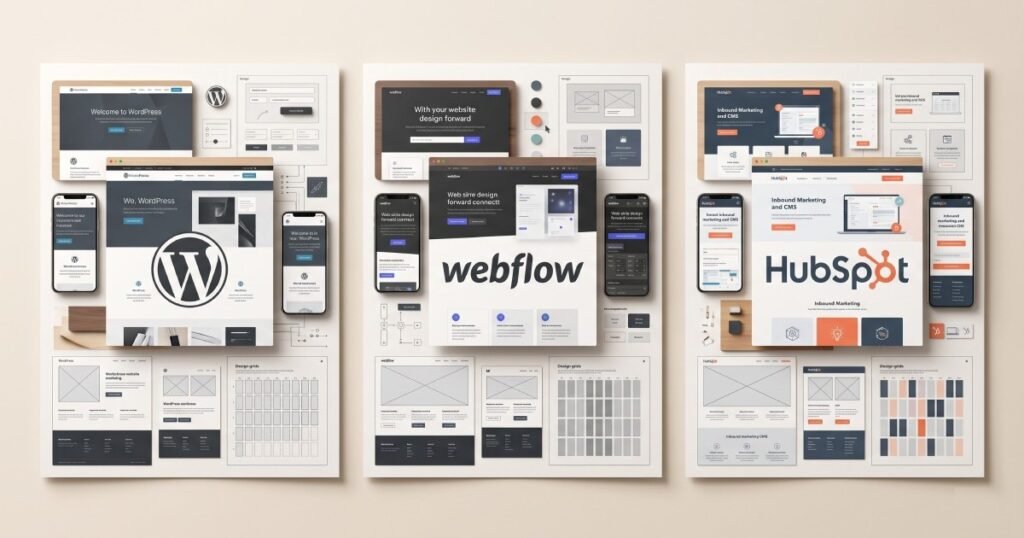
Choosing the right platform is one of the most important decisions when building a new business website or replacing an outdated one.
WordPress, Webflow, and HubSpot are three of the most popular options available today, but they are built with different priorities in mind. WordPress offers extensive flexibility and a huge ecosystem of themes, plugins, and developers. Webflow provides a visual development experience with strong design control and clean front-end output. HubSpot combines website management with CRM, marketing, and sales tools.
Because all three platforms can produce professional websites, the question isn’t simply which platform is “best.” The better question is:
Which platform is best for your business, your team, and your long-term goals?
A small business that needs a straightforward website may have very different requirements from a growing SaaS company that relies heavily on inbound marketing and CRM automation.
In this guide, we’ll compare WordPress, Webflow, and HubSpot across design flexibility, SEO, performance, content management, integrations, eCommerce, security, scalability, marketing capabilities, and overall cost. By the end, you’ll have a clearer idea of which platform makes the most sense for your next website project.
WordPress vs Webflow vs HubSpot at a Glance
Before looking at each platform in detail, here’s a quick comparison.
| Feature | WordPress | Webflow | HubSpot |
|---|---|---|---|
| Design flexibility | Excellent | Excellent | Excellent |
| Content management | Excellent | Very good | Excellent |
| SEO capabilities | Excellent | Excellent | Excellent |
| Plugin ecosystem | Excellent | Limited | Good |
| Visual editing | Depends on setup | Excellent | Excellent |
| CRM integration | Via integrations | Via integrations | Native |
| Marketing tools | Requires integrations | Requires integrations | Excellent |
| eCommerce | Excellent | Good | Good |
| Maintenance | Requires management | Low | Low |
| Scalability | Excellent | Excellent | Excellent |
| Best for | Flexible websites | Design-focused websites | Marketing-led businesses |
The right choice depends heavily on how your business plans to use its website.
What Is WordPress?
WordPress is an open-source content management system that powers a large portion of websites around the world.
Its biggest advantage is flexibility.
Businesses can start with a simple website and expand it over time using themes, plugins, custom development, and integrations. WordPress can be used for everything from small business websites and blogs to large publishing platforms and eCommerce stores.
Another major advantage is the size of the WordPress ecosystem. There are thousands of plugins, themes, developers, agencies, and resources available.
This means businesses have many options when building and maintaining a WordPress website.
Advantages of WordPress
WordPress is particularly strong when you need:
- Extensive customisation
- Large content websites
- eCommerce functionality
- Custom integrations
- A large plugin ecosystem
- Complete control over hosting
- Flexible development options
- Easy access to developers
Page builders such as Bricks Builder can also provide a visual development experience while still allowing developers to create highly customised websites.
Limitations of WordPress
The flexibility of WordPress can also create additional responsibilities.
Businesses may need to manage:
- Hosting
- Plugin updates
- Theme updates
- Security
- Backups
- Performance optimisation
- Plugin compatibility
A poorly maintained WordPress website can become slow or vulnerable over time.
However, this isn’t necessarily a problem with WordPress itself. A well-developed WordPress website with a clean architecture and carefully selected plugins can be extremely fast, secure, and scalable.
What Is Webflow?
Webflow is a visual website development platform that combines design and development within a browser-based environment.
It gives designers and developers significant control over HTML, CSS, layouts, responsive behaviour, animations, and interactions without requiring a traditional coding workflow for every change.
Webflow is particularly popular among design-focused businesses, agencies, startups, and companies that want highly polished marketing websites.
One of Webflow’s strongest advantages is its visual development environment.
Designers can create layouts visually while still working with concepts that closely resemble traditional front-end development.
Advantages of Webflow
Webflow is a strong choice when you need:
- High-quality visual design
- Responsive layouts
- Custom interactions
- Professional animations
- Clean visual editing
- Managed hosting
- A modern CMS
- Reduced plugin dependency
It can be particularly useful for companies where the website is an important part of their brand experience.
Limitations of Webflow
Webflow also has limitations.
Compared with WordPress, its plugin ecosystem is much smaller. Some advanced functionality may require third-party tools, custom code, or external integrations.
Businesses with highly complex functionality may therefore find WordPress or another platform more suitable.
What Is HubSpot CMS?
HubSpot CMS is designed for businesses that want their website closely connected with marketing, sales, CRM, and customer data.
Unlike WordPress and Webflow, HubSpot’s biggest differentiator isn’t simply website development. It’s the broader ecosystem surrounding the website.
A company can manage its website alongside CRM data, forms, lead generation, marketing automation, analytics, and other HubSpot tools.
This makes HubSpot particularly attractive to businesses where the website plays an important role in lead generation and the sales process.
Advantages of HubSpot
HubSpot is especially useful when you need:
- CRM integration
- Marketing automation
- Lead management
- Advanced forms
- Personalised experiences
- Marketing analytics
- Easy content editing
- Secure managed hosting
- Custom CMS modules
For businesses already using HubSpot CRM, having the website inside the same ecosystem can simplify the overall technology stack.
Limitations of HubSpot
HubSpot can be more expensive than some alternatives, particularly for smaller businesses with simple website requirements.
Businesses should also consider the ongoing platform costs and determine whether the additional marketing and CRM capabilities justify the investment.
If you only need a basic informational website, many of HubSpot’s advanced capabilities may not be necessary.
WordPress vs Webflow vs HubSpot: Design Flexibility
All three platforms can support professional website design, but they approach design differently.
WordPress
WordPress provides enormous design flexibility through themes, page builders, custom development, and custom themes.
With the right development approach, a WordPress website can be designed almost entirely from scratch.
Webflow
Webflow provides excellent visual control and is particularly strong for designers who want precise control over layouts, responsive behaviour, animations, and interactions.
HubSpot
HubSpot also provides strong design flexibility through custom templates and reusable modules.
Developers can build custom components while allowing content editors to manage pages through HubSpot’s editing environment.
Winner: It depends on the project. WordPress offers the broadest ecosystem, Webflow provides excellent visual control, and HubSpot combines custom development with marketing functionality.
WordPress vs Webflow vs HubSpot for SEO
All three platforms can support strong SEO.
The platform itself isn’t going to guarantee rankings. Technical implementation, content quality, site structure, backlinks, user experience, and ongoing optimisation all matter.
WordPress SEO
WordPress provides extensive SEO flexibility through plugins and custom development.
Developers can control:
- Metadata
- URLs
- Schema
- XML sitemaps
- Redirects
- Internal linking
- Content structure
Webflow SEO
Webflow provides many SEO controls directly within the platform, including page titles, descriptions, canonical settings, redirects, alt text, and sitemap management.
Its clean development environment can also provide a strong technical foundation.
HubSpot SEO
HubSpot includes built-in SEO tools alongside its content management and marketing features.
This makes it particularly useful for marketing teams that want SEO recommendations integrated into their content workflow.
Winner: All three can perform well when properly configured.
Which Platform Is Best for Performance?
Website performance depends on much more than the CMS.
Image sizes, JavaScript, CSS, hosting, third-party scripts, fonts, animations, and development practices all influence speed.
WordPress gives developers extensive control, but poorly configured plugins and themes can create performance problems.
Webflow provides managed infrastructure and can perform well when websites are built efficiently.
HubSpot provides managed hosting and infrastructure, reducing the amount of server-side management required from the business.
The key is not choosing a platform simply because it is advertised as “fast.” The website still needs to be designed and developed properly.
WordPress vs Webflow vs HubSpot for Content Management
If your business publishes content regularly, the CMS experience becomes particularly important.
WordPress is extremely mature for content publishing. It works well for blogs, resources, news websites, and large content libraries.
Webflow provides a capable CMS for structured content such as blog posts, projects, team members, and case studies.
HubSpot is particularly strong when content publishing is part of a broader inbound marketing strategy.
If your marketing team regularly publishes blogs, landing pages, campaigns, and lead-generation content, HubSpot’s wider marketing ecosystem can be valuable.
Which Platform Is Best for eCommerce?
WordPress is a strong choice for businesses that require extensive eCommerce flexibility.
WooCommerce can support:
- Products
- Variations
- Payments
- Shipping
- Tax configuration
- Discounts
- Customer accounts
- Inventory
Webflow also supports eCommerce, making it suitable for certain online stores, particularly where design is a major priority.
HubSpot can support commerce-related workflows and integrations, but businesses with complex online stores may find dedicated eCommerce platforms more appropriate.
Winner for flexibility: WordPress
Winner for design-focused stores: Webflow
Winner for marketing-led businesses: HubSpot
Integrations and Third-Party Tools
Modern websites rarely operate independently.
Businesses often need their websites to connect with:
- CRM systems
- Email marketing platforms
- Analytics tools
- Payment providers
- Booking systems
- Customer support platforms
- Marketing automation
- Internal business software
WordPress has one of the largest integration ecosystems because of its huge plugin and developer community.
Webflow can integrate with many external services through APIs, automation platforms, custom code, and third-party tools.
HubSpot has a major advantage when your business already uses HubSpot’s CRM and marketing ecosystem because many capabilities are available natively.
Marketing and CRM
This is one of the biggest differences between the three platforms.
WordPress and Webflow are primarily website platforms. Marketing and CRM capabilities can be added through integrations.
HubSpot was designed with marketing and CRM at its core.
With HubSpot, businesses can connect website activity with lead records, forms, marketing campaigns, sales processes, and customer data.
For a company that relies heavily on inbound marketing and lead generation, this can make HubSpot significantly more valuable.
Security and Maintenance
Maintenance is another important consideration.
With WordPress, businesses are generally responsible for managing updates, plugins, themes, backups, hosting, and security depending on their hosting setup and development approach.
Webflow and HubSpot are managed platforms, meaning much of the underlying infrastructure is handled by the platform provider.
That doesn’t mean businesses don’t need to maintain their websites. Content, integrations, forms, tracking, and functionality still need regular attention.
However, managed platforms can reduce some of the technical maintenance responsibilities.
Which Platform Is More Scalable?
All three platforms can support growing businesses.
The question is what type of growth you’re expecting.
WordPress can scale extremely well when properly architected. Large content libraries, custom functionality, eCommerce, and complex integrations are all possible.
Webflow can scale well for marketing websites and structured content, particularly when the project doesn’t require highly complex backend functionality.
HubSpot can scale particularly well for businesses where website growth is closely connected to marketing, sales, and CRM operations.
WordPress vs Webflow vs HubSpot Cost
Cost should always be considered in terms of the total cost of ownership, not just the initial development price.
WordPress can have lower platform costs, but businesses may need to pay separately for hosting, premium plugins, maintenance, security, and development support.
Webflow combines hosting and website management into its platform plans, making costs more predictable.
HubSpot can have higher ongoing platform costs, but those costs include a broader set of marketing and CRM capabilities.
A more expensive platform isn’t necessarily worse value. If the additional tools help generate and manage leads, the investment may make sense.
The right question is:
“Which platform provides the capabilities my business actually needs?”
Which Platform Is Best for Small Businesses?
For many small businesses, WordPress is a practical choice because it offers flexibility across a wide range of budgets.
A professionally developed WordPress website can provide:
- Custom design
- SEO capabilities
- Blogging
- Service pages
- Lead generation
- eCommerce
- Integrations
Webflow can also be a strong option for small businesses that prioritise design and want a managed platform.
HubSpot may be worthwhile when lead generation and marketing automation are central to the business.
Which Platform Is Best for Growing Companies?
Growing companies should think beyond the website launch.
Consider how your website will support:
- Content marketing
- SEO
- Lead generation
- Sales
- CRM
- New services
- New locations
- Integrations
- Marketing campaigns
For a content-heavy or highly customised website, WordPress can be an excellent choice.
For a design-focused marketing website, Webflow can be a strong fit.
For companies that want their website deeply integrated with marketing and CRM, HubSpot can provide significant advantages.
Which Platform Should You Choose?
There isn’t one universal winner.
Choose WordPress if you want maximum flexibility, extensive integrations, eCommerce capabilities, and a large development ecosystem.
Choose Webflow if design quality, visual control, responsive development, and managed hosting are major priorities.
Choose HubSpot if your website is closely connected to lead generation, marketing automation, CRM, and sales.
The best platform is the one that supports your business goals without introducing unnecessary complexity.
Before choosing a platform, consider where your business is today and where you expect it to be in the next three to five years.
A platform that looks inexpensive today may become restrictive as your requirements grow. Similarly, a platform with advanced capabilities may be unnecessary if your website only needs a few informational pages.
Final Thoughts
WordPress, Webflow, and HubSpot are all capable platforms, but they solve slightly different problems.
WordPress stands out for flexibility and its enormous ecosystem. Webflow excels at visual design and managed website development. HubSpot stands apart through its combination of CMS, CRM, marketing, and sales capabilities.
The right decision should therefore be based on your business—not on which platform happens to be trending.
Think about your website’s purpose, your internal team, your budget, your marketing strategy, your required functionality, and your long-term plans.
If you’re building a simple business website, you don’t necessarily need the most advanced platform available. If your website will become a major part of your marketing and sales operation, investing in the right platform from the beginning can save significant time and development costs later.
The goal isn’t to choose the platform with the longest feature list.
The goal is to choose the platform that gives your business the right foundation to grow.
Frequently Asked Questions
Not necessarily. WordPress offers more flexibility through its large ecosystem and extensive plugin options, while Webflow provides excellent visual control and managed hosting. The better option depends on your website requirements.
HubSpot can be a better choice for businesses that rely heavily on CRM, marketing automation, and lead generation. WordPress can be better for businesses that need maximum flexibility, custom functionality, or extensive eCommerce options.
WordPress, Webflow, and HubSpot can all support strong SEO. Rankings depend more on content quality, technical implementation, website performance, site structure, and ongoing SEO work than on the CMS alone.
All three can be relatively easy to manage once properly configured. Webflow and HubSpot provide managed editing environments, while WordPress can vary depending on the theme, page builder, plugins, and setup used.
WordPress is often a practical choice because it provides flexibility across different budgets. Webflow can be excellent for design-focused businesses, while HubSpot is worth considering when marketing and CRM integration are major priorities.
Yes. Websites can be migrated between platforms, although the complexity depends on the amount of content, functionality, integrations, SEO requirements, and custom development involved.
All three can support large websites, but the best option depends on the type of website. WordPress is particularly flexible for large content websites and custom functionality, while HubSpot can be excellent for large marketing-driven websites.
Price should be one consideration, but it shouldn’t be the only one. Consider development costs, ongoing platform costs, maintenance, integrations, scalability, and the potential value the website can generate for your business.
Need Help With Your Website?
Whether you need HubSpot CMS development, Webflow development, WordPress development, or technical SEO, Zelthra can help you build a website that performs.