
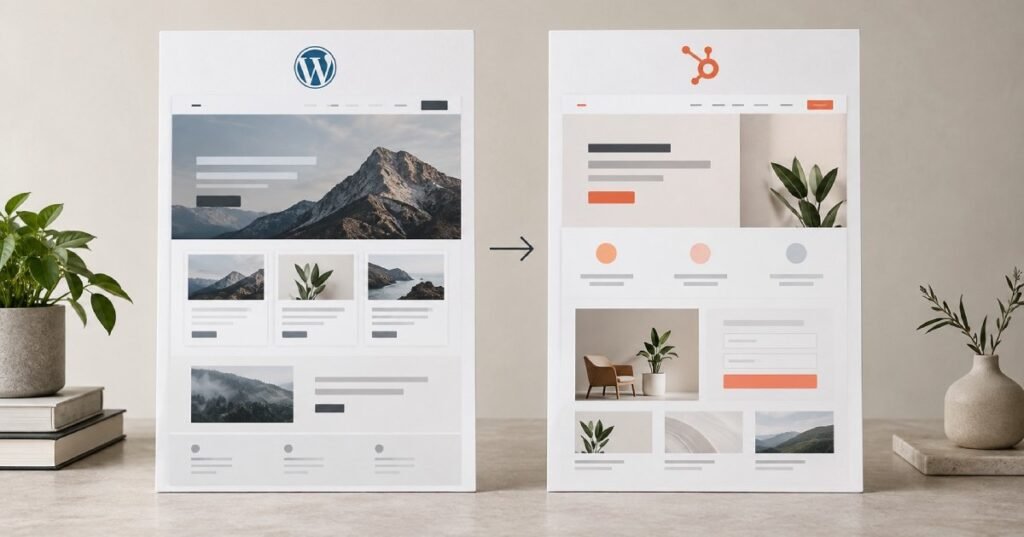
Moving a business website from WordPress to HubSpot is not simply a matter of copying pages from one platform to another.
A WordPress website may contain years of blog posts, landing pages, forms, images, redirects, integrations, SEO settings, and other content that your business depends on. Moving all of that to a new platform requires careful planning if you want the new HubSpot website to perform as well as, or better than, the existing one.
For businesses already using HubSpot for CRM, marketing, sales, or automation, migrating the website can also create a more connected digital environment. Instead of managing the website separately from your customer and marketing systems, HubSpot can bring many of these activities into the same ecosystem.
But a successful migration depends on doing the work in the right order.
This guide explains how to migrate from WordPress to HubSpot, what you should prepare before the migration, how to handle SEO and URLs, what happens to your content and forms, and what to check before launching the new website.
Why Do Businesses Migrate from WordPress to HubSpot?
WordPress is a flexible and widely used website platform. It can support everything from a small business website to a large content-driven site.
However, some businesses eventually reach a point where they want their website to work more closely with their marketing, sales, and CRM processes.
That’s where HubSpot can become attractive.
A WordPress website may be managed primarily as a standalone website, while a HubSpot website can be connected more closely with the rest of the HubSpot platform.
For businesses already using HubSpot, this can create a more unified workflow for managing website content, capturing leads, understanding visitor activity, and supporting marketing campaigns.
A WordPress to HubSpot migration may make sense when a business wants:
- A website connected closely with its CRM
- Better integration between website and marketing activities
- Centralised lead capture
- Marketing automation
- Personalised website experiences
- Easier management of marketing content
- A more controlled website environment
- A redesigned website at the same time as the migration
- Less dependence on a large collection of WordPress plugins
The important point is that migration should solve a business problem.
Moving platforms simply because another platform is popular is not a strong migration strategy.
WordPress to HubSpot Migration: What Actually Gets Moved?
A website migration can involve much more than page content.
Depending on the existing WordPress website, you may need to migrate:
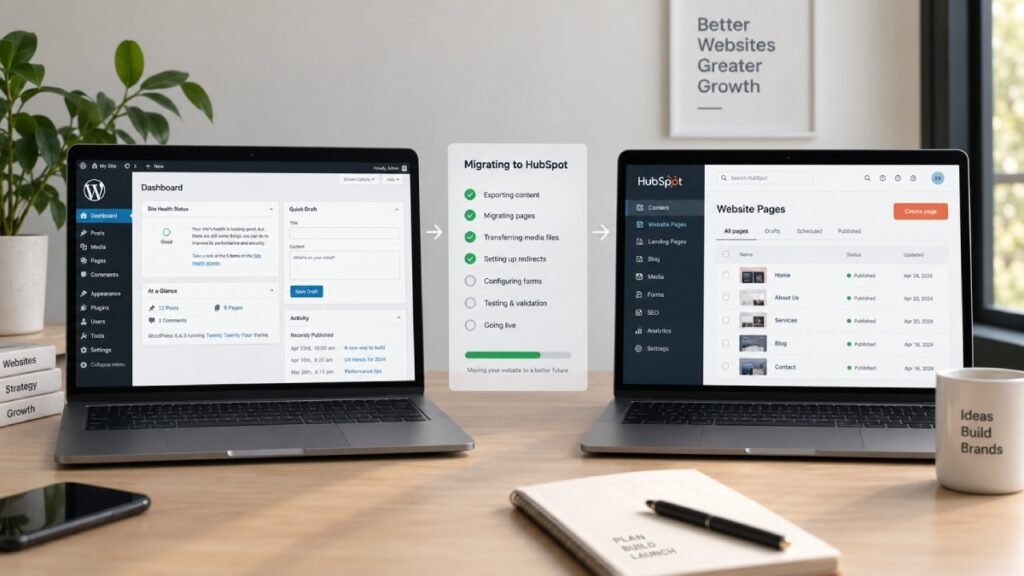
Website Pages
Your main pages, service pages, about pages, contact pages, landing pages, and other important website content need to be recreated in HubSpot.
Blog Content
Blog posts are often one of the largest parts of a migration.
A website may have hundreds or even thousands of articles, each with its own URL, title, metadata, featured image, categories, tags, and internal links.
These need to be handled carefully.
Images and Media
Images used throughout the website need to be transferred and properly referenced in the new website.
This is also an opportunity to review image sizes and remove unnecessary assets.
SEO Metadata
Existing page titles and meta descriptions should be reviewed before migration.
The goal isn’t to accidentally replace valuable SEO information with generic metadata.
URLs
Existing URLs are particularly important.
If a page currently ranks in Google and its URL changes during migration, the old URL needs to be properly redirected to the relevant new URL.
Forms
WordPress forms need to be reviewed and recreated or replaced using an appropriate HubSpot form setup.
Tracking
Analytics and tracking systems should be checked so that important data continues to be collected after launch.
Redirects
Existing redirects should be documented before the migration.
New redirects may also be required if the URL structure changes.
Integrations
Any third-party tools connected to the WordPress website need to be identified.
This can include CRM systems, email tools, analytics platforms, scheduling tools, payment systems, and other services.
Before You Migrate: Audit the Existing WordPress Website
One of the biggest mistakes businesses make is starting the migration before understanding what they already have.
Before building anything in HubSpot, audit the existing WordPress website.
Create an inventory of important URLs and identify which pages are actually valuable.
Look at:
- Indexed pages
- Organic traffic
- Top-performing pages
- Backlinks
- Existing rankings
- Blog posts
- Landing pages
- Forms
- Images
- Internal links
- Metadata
- Redirects
- Canonical URLs
- Structured data
- Analytics
- Third-party integrations
This gives you a baseline.
Without an audit, it becomes much easier to accidentally remove an important page, change a valuable URL, forget a redirect, or lose an existing SEO element.
A migration should preserve the things that are working before introducing improvements.
Create a Complete URL Inventory
Your URL inventory is one of the most important documents in a WordPress to HubSpot migration.
For every important URL, record information such as:
Current URL → New URL → Page type → SEO status → Redirect required
For example:
/services/web-design/ → /services/web-design/ → Service page → Keep → No
Or:
/old-service/ → /services/web-development/ → Service page → Redirect → Yes
The exact structure will depend on the website.
The important thing is that every valuable old URL has a clear destination.
Don’t assume that every old page needs to be recreated exactly as it was.
Some pages may be outdated.
Some may be duplicates.
Some may have little or no value.
Some may need to be merged into a stronger page.
The migration is an opportunity to improve the website architecture, but those decisions should be made deliberately.
Plan the New HubSpot Website Structure
Once the existing website has been audited, plan the new HubSpot structure.
This is where migration becomes more than a technical copy-and-paste exercise.
Think about how users should move through the new website.
For example:
Homepage → Services → Individual Service → Case Study → Contact
Or:
Blog → Educational Article → Relevant Service → Contact
A good website structure helps both visitors and search engines understand the relationship between your pages.
If the WordPress website has developed organically over several years, the migration may be the right opportunity to clean up unnecessary sections and create a clearer architecture.
Rebuild the Website Design in HubSpot
The next step is rebuilding the website in HubSpot.
There are different approaches depending on the project.
A business can migrate existing designs into HubSpot, redesign the website completely, or combine the two approaches.
For a straightforward migration, preserving the existing visual identity may make sense.
For an older website, however, rebuilding the design can provide much more value.
A redesign can improve:
- User experience
- Navigation
- Mobile responsiveness
- Conversion paths
- Page structure
- Content presentation
- Brand consistency
- Website performance
This is why businesses often combine a WordPress to HubSpot migration with a website redesign.
The platform migration handles the technology.
The redesign improves the experience.
Migrate WordPress Pages to HubSpot
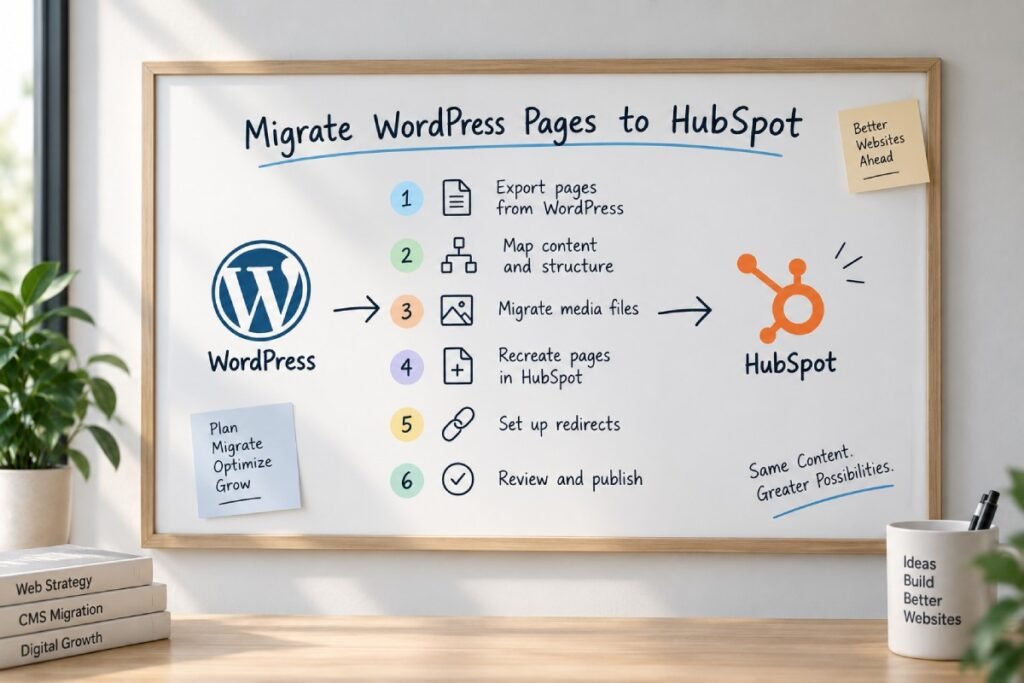
Once the new structure and templates are ready, website content can be migrated.
Important pages should not simply be copied without review.
Review each page for:
- Content quality
- Heading structure
- Internal links
- Images
- Calls to action
- Metadata
- Links to old URLs
- Conversion opportunities
- Mobile presentation
If a page has outdated content, migration is the perfect time to improve it.
This is especially important for high-value service pages.
Moving weak content from WordPress to HubSpot doesn’t make the content stronger simply because the platform changed.
Migrate WordPress Blog Content
Blog migration deserves special attention.
A business blog can contain a significant amount of accumulated SEO value.
Each article may have:
- A unique URL
- Search rankings
- Backlinks
- Organic traffic
- Images
- Internal links
- Categories
- Tags
- Author information
- Metadata
Before moving blog content, identify your most valuable articles.
High-performing articles should receive additional attention during the migration.
Check their:
- URL
- Page title
- Meta description
- H1
- Content
- Internal links
- Images
- Canonical settings
- Structured data where applicable
You should also look for old articles that overlap with one another.
If several WordPress articles target essentially the same topic, moving all of them without reviewing the content can preserve an inefficient content structure.
Recreate Forms and Lead Capture
Forms are an important part of many WordPress websites.
Your existing WordPress forms may be connected to email notifications, CRM systems, marketing tools, or other workflows.
During migration, document how each form currently works.
Then determine what should happen in HubSpot.
For example:
Visitor completes form → Contact created/updated → Team receives notification → Marketing workflow begins
This is one of the areas where migrating to HubSpot can provide significant value for businesses already using its CRM and marketing capabilities.
The website isn’t just collecting a form submission.
It can become part of the broader lead-management process.
Preserve Your SEO During the Migration
SEO should be treated as a core part of the migration rather than something checked after the website launches.
A platform migration can affect organic search performance if important URLs, content, metadata, links, or technical signals are changed incorrectly.
Before launch, document the existing SEO setup.
Pay particular attention to:
URL Structure
Try to preserve valuable URLs where practical.
If URLs need to change, map the old URLs to the appropriate new URLs.
301 Redirects
When a valuable WordPress URL changes, create a permanent redirect from the old URL to the relevant new page.
Don’t redirect every old page to the homepage.
The destination should be relevant to the original content.
Page Titles
Important SEO titles should be preserved or improved.
Meta Descriptions
Review existing descriptions and update them where necessary.
Headings
Make sure the new page has a clear heading hierarchy.
Canonical URLs
Check canonical configuration after migration.
Internal Links
Update links that still point to old WordPress URLs.
Images
Check image URLs, filenames, dimensions, and alternative text.
XML Sitemap
After launch, verify the new sitemap and make sure important pages can be discovered.
Robots.txt
Review the robots.txt configuration to ensure important areas aren’t accidentally blocked.
Indexing
The production website should be configured correctly for search engine crawling and indexing.
Don’t Forget Internal Links
Internal links are easy to overlook during migration.
A WordPress website may contain hundreds or thousands of links between pages and blog posts.
If the URL structure changes, some of these links can become broken or point to outdated locations.
Review internal links after migration.
More importantly, take the opportunity to improve them.
A blog article about website development, for example, should naturally connect to relevant service pages.
This creates a stronger relationship between informational content and commercial pages.
For Zelthra, this could mean connecting educational Webflow, WordPress, or HubSpot articles to the relevant development service pages.
What Happens to WordPress Plugins?
One of the major differences between WordPress and HubSpot is how functionality is handled.
A WordPress website may rely on plugins for:
- Forms
- SEO
- Security
- Caching
- Analytics
- Backups
- Redirections
- Marketing
- Custom functionality
During migration, don’t automatically assume every plugin needs a direct replacement.
Instead, create a functionality inventory.
For each plugin, ask:
What does this plugin actually do?
Then determine whether the functionality is:
- Already available in HubSpot
- Better handled through HubSpot
- Better handled through an integration
- No longer necessary
- Something that requires custom development
This can actually simplify the website.
Instead of carrying years of accumulated plugins into a new platform, you can rethink which functionality the business genuinely needs.
Test the New HubSpot Website Before Launch
Never launch immediately after the migration is complete.
The new website needs a proper QA process.
Test the website across desktop and mobile devices.
Check:
- Navigation
- Buttons
- Forms
- Links
- Images
- Responsive layouts
- Blog pages
- Search functionality
- Calls to action
- Redirects
- Page titles
- Meta descriptions
- Canonicals
- Sitemap
- Robots.txt
- Analytics
- Tracking
- Integrations
Also test real user journeys.
Don’t only check whether individual pages work.
Try the website as a customer would.
For example:
Homepage → Service page → Contact form → Confirmation → CRM
If that journey fails, the migration isn’t ready.
Launching Your WordPress to HubSpot Migration
The launch itself should be planned rather than treated as the final click.
Before switching the website over, make sure:
- The new website has been thoroughly tested
- Redirects are configured
- DNS requirements are understood
- Tracking is working
- Forms are working
- Important content is present
- SEO settings are checked
- The sitemap is ready
- Internal links have been reviewed
It’s also useful to keep a copy of the old website and migration documentation for reference.
Once the new website is live, begin monitoring immediately.
Monitor SEO After the Migration
The work doesn’t end when the website goes live.
The first few weeks after migration are particularly important.
Monitor:
- Organic traffic
- Search rankings
- Indexed pages
- Crawl errors
- Redirects
- Broken links
- Organic landing pages
- Form submissions
- Conversion rates
- Search Console data
Some fluctuations can occur after a migration while search engines process the changes.
But significant or persistent drops should be investigated rather than ignored.
If an important page suddenly disappears from search, check its URL, redirect, indexing status, canonical configuration, content, and internal links.
Common WordPress to HubSpot Migration Mistakes
Changing Every URL
Changing URLs unnecessarily increases migration risk.
Keep valuable URLs where practical.
Forgetting Redirects
A page that previously received traffic can lose that value if its old URL disappears without a proper redirect.
Migrating Everything Without an Audit
Not every old page deserves to be moved.
Review the website before deciding what belongs in the new one.
Treating Migration as Only a Design Project
A website can look excellent and still have a poor migration.
SEO, content, redirects, forms, analytics, and integrations all matter.
Forgetting Forms
A beautiful new website is useless if important lead forms stop working.
Ignoring Internal Links
Old WordPress URLs can remain hidden inside content even after the visible website has been migrated.
Launching Without Testing
Small problems can become expensive once the new website is live.
Changing the Platform and Content Strategy at the Same Time Without a Plan
A migration already introduces technical change.
If you’re also changing URLs, removing content, rewriting every page, redesigning the site, and changing your SEO strategy simultaneously, it becomes much harder to identify the cause of a performance change.
Changes should be planned and documented.
How Long Does a WordPress to HubSpot Migration Take?
There isn’t one fixed migration timeline.
A small website with a limited number of pages may be relatively straightforward.
A larger website with hundreds of pages, extensive blog content, custom functionality, multiple integrations, and a complex URL structure can take considerably longer.
The main factors include:
- Number of pages
- Number of blog posts
- Website complexity
- Custom design requirements
- CMS requirements
- SEO requirements
- Number of redirects
- Forms
- Integrations
- Content cleanup
- Redesign scope
- Testing requirements
The more important the website is to the business, the more carefully the migration should be planned.
How Much Does WordPress to HubSpot Migration Cost?
Migration costs vary significantly depending on the website and the amount of work involved.
A simple migration may primarily involve moving content and rebuilding templates.
A larger project may include:
- Complete website redesign
- Custom HubSpot development
- Content migration
- Blog migration
- SEO migration
- Redirect mapping
- CRM integration
- Forms
- Marketing automation
- Third-party integrations
- Testing
- Post-launch support
For this reason, a professional migration should be scoped after reviewing the existing WordPress website.
A quote based only on the number of pages can be misleading because two websites with the same number of pages can have completely different technical requirements.
Is WordPress to HubSpot Migration Right for Your Business?
The answer depends on what you want your website to accomplish.
If your website is mainly a standalone content platform and your existing WordPress setup works well, there may be no urgent reason to migrate.
But if your business already relies heavily on HubSpot and wants its website, CRM, marketing, and lead-generation activities to work more closely together, migration can make a lot of sense.
It can also be worthwhile when your existing WordPress website has become difficult to manage, overly dependent on plugins, or due for a complete redesign.
The important thing is to evaluate the migration based on business requirements rather than platform trends.
WordPress to HubSpot Migration Checklist
Before launching, use this checklist:
Planning
- Audit the existing WordPress website
- Identify important pages
- Review organic traffic and rankings
- Create a complete URL inventory
- Identify existing integrations
- Document forms and lead flows
Content
- Migrate important pages
- Migrate relevant blog content
- Review images
- Review internal links
- Remove or consolidate outdated content where appropriate
SEO
- Preserve important URLs where possible
- Map changed URLs
- Configure redirects
- Review titles and meta descriptions
- Check headings
- Review canonical URLs
- Check internal links
- Verify sitemap
- Review robots.txt
- Check indexing
Functionality
- Recreate forms
- Test CRM connections
- Test automation
- Check analytics
- Check third-party integrations
- Test navigation
- Test mobile layouts
Launch
- Complete QA
- Verify redirects
- Confirm tracking
- Launch the website
- Monitor search performance
- Monitor traffic and conversions
- Fix post-launch issues quickly
Final Thoughts
A WordPress to HubSpot migration is an opportunity to do more than move a website from one platform to another.
Done properly, it can be a chance to rethink the website structure, improve the user experience, simplify content management, connect the website more closely with your CRM, and create a stronger foundation for marketing and lead generation.
But the migration itself needs to be handled carefully.
Your existing URLs, content, rankings, forms, integrations, and website functionality all need to be accounted for before the new website goes live.
The best migrations are the ones where visitors barely notice the technology change — they simply experience a faster, clearer, better-structured website, while the business gains a more connected system behind it.
If you’re considering moving from WordPress to HubSpot, the first step isn’t rebuilding the homepage.
It’s understanding what you already have, what needs to be preserved, and what should be improved.
Frequently Asked Questions
Yes. A WordPress website can be migrated to HubSpot, including pages, blog content, images, forms, and other relevant website elements. The exact migration process depends on the size and complexity of the existing website.
The migration should include a complete URL audit, preservation of important URLs where possible, proper redirects for changed URLs, migration of relevant metadata, internal-link review, canonical checks, sitemap verification, and post-launch monitoring.
They don’t necessarily have to. Important URLs can often be preserved. If URLs need to change, the old URLs should be mapped to relevant new URLs and properly redirected.
Yes. Blog posts can be migrated to HubSpot along with relevant content, images, metadata, and other information. Large blogs should be audited before migration to identify valuable, outdated, or duplicate content.
WordPress forms need to be reviewed and recreated or replaced as part of the migration. If you’re using HubSpot, forms can be connected to HubSpot’s CRM and related marketing workflows.
The timeline depends on the website’s size and complexity. Factors include the number of pages and blog posts, custom functionality, integrations, SEO requirements, redirects, redesign work, and testing.
There is no fixed price. Costs depend on the number of pages, content migration requirements, website redesign, custom HubSpot development, integrations, SEO migration, redirects, forms, and other technical requirements.
Neither platform is universally better. WordPress offers extensive flexibility through themes, plugins, and custom development, while HubSpot can be particularly useful for businesses that want their website closely connected with CRM, marketing, sales, and automation.
Yes. Many businesses combine a website redesign with their platform migration. This allows the new HubSpot website to improve the existing design, structure, user experience, and conversion paths rather than simply reproducing the old WordPress website.
For a simple website, some migration work may be manageable internally. However, larger migrations involving custom development, SEO, redirects, integrations, forms, and complex content structures benefit from an experienced HubSpot developer or migration team.
Need Help With Your Website?
Whether you need HubSpot CMS development, Webflow development, WordPress development, or technical SEO, Zelthra can help you build a website that performs.